 Moolish
Blog
Sequencer 9-13: built on TD Sequential, plus volume and candles
Last updated:
Sequencer 9-13 is Moolish's own implementation of the TD Sequential setups and countdowns. It keeps the counting rules and adds what we kept checking by hand: volume grades and candle patterns as confirmation, across timeframes and assets, delivered as one Telegram alert.
Moolish was built by a trader who used the TD Sequential counts by hand before writing the scanner. This post explains where the counts come from, what we kept exactly, why we did not stop there, and what we do not claim.
Where the counts come from
TD Sequential was developed by Tom DeMark. It is described in his book The New Science of Technical Analysis (Wiley, 1994) and, in a shorter survey of his indicators, in Jason Perl's DeMark Indicators (Bloomberg Press, 2008). Both are worth reading if you want the method in its authors' own words. We cite them as the published record of the rules. We do not reproduce their text, diagrams or examples.
Moolish is not affiliated with, endorsed by or sponsored by Tom DeMark or DeMARK Analytics. TD Sequential is a method created by Tom DeMark, and DeMARK is a trademark of DeMARK Analytics. Sequencer 9-13 is Moolish's own name for its independent implementation of the published counting rules.
That last point matters to us. When you see Sequencer 9-13 in the picker, you are looking at software we wrote from the published rules, run on our own data. It is not a DeMARK product, and it does not claim to match any other vendor's output bar for bar.
What Sequencer 9-13 keeps exactly
We kept the two counting phases as they are described in the literature. The full rules, with drawings, are in What is TD Sequential?. Here is how our engine handles each one.
The setup rule
A setup counts to 9 by comparing each close with the close four bars earlier, and the sell side mirrors the buy side. The pillar page states the rule in full. In our engine the counter resets to zero on the first bar that fails. DeMark's description places a price flip before bar 1. Sequencer 9-13 counts from the first qualifying close and resets on the first bar that fails; it does not wait for a separate flip bar.
The countdown rule
A countdown counts to 13 and starts only after a setup has completed, with the counted bars allowed to be non-consecutive. Bar 9 of the setup can itself be countdown bar 1 when its close passes the countdown test, and Sequencer 9-13 counts it that way. Otherwise countdown bar 1 is the first later bar that passes. For the 13, the engine records the close of countdown bar 8 and uses it in the 13-versus-8 comparison, which is why a 13 that fails the comparison appears as a non-qualified event. A countdown can run for a long time on a daily chart, and it can be cancelled before it finishes. The test itself is on the pillar page.
The naming trap
A Buy Setup forms in a falling market. The word "buy" names the side the method is watching for a possible turn, not a recommendation, and a Sell Setup mirrors it in a rising market. Newcomers trip over this more than over any other part of the method.
Perfection
Many traders also look for a perfected setup, a stricter version of the nine. The engine does not compute perfection, so Moolish reports the count only. Perfection is read on the chart, where you can compare the lows or highs of bars 6, 7, 8 and 9 for yourself. The TD Sequential crypto scanner guide gives the bar numbers.
| TD Sequential term | Event name in the picker |
|---|---|
| Completed buy setup (nine bars) | Buy Setup 9 |
| Completed sell setup (nine bars) | Sell Setup 9 |
| First counted bar of a buy countdown | Buy Countdown 1 |
| Thirteenth counted bar of a buy countdown | Buy Countdown 13 |
| First counted bar of a sell countdown | Sell Countdown 1 |
| Thirteenth counted bar of a sell countdown | Sell Countdown 13 |
| Price reaches the support level the method draws | Touch Support |
| Price closes through the resistance level the method draws | Break Resistance |
These are the signals shown on the method page. The picker holds more of the same family, such as Sell Setup 1 and Non-qualified Buy 13. Open an event in the picker to read its exact rule before you rely on it.
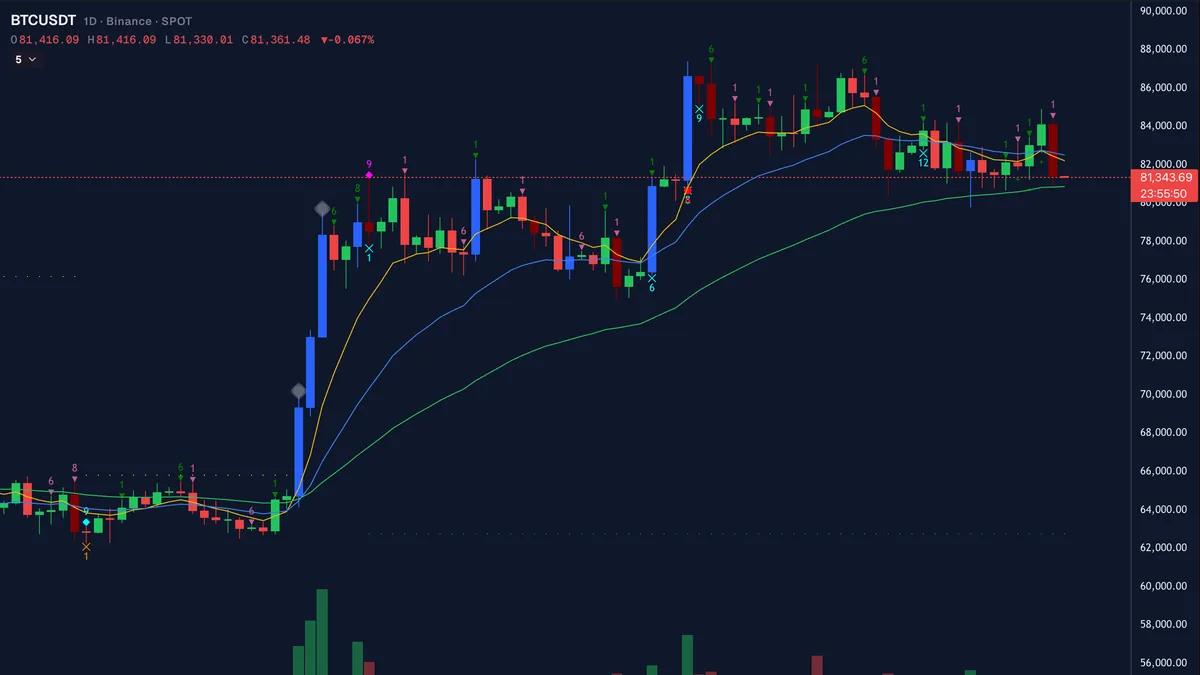
Why counts alone were not enough for us
The counts are a good idea, and they did not remove the work. Five things kept coming up when we used them by hand.
- A 9 repeats in strong trends. A market that keeps falling can complete a Buy Setup 9, keep falling, and complete another. The count tells you a run has gone on for nine bars. It does not tell you the run is over.
- The count has no direction and no stop. It marks where to look. It does not say whether a turn is starting, and it does not say where you would be wrong.
- Timeframes are not interchangeable. A 9 on the 15M and a 9 on the 1W are different events. One is a few hours of closes and the other is nine weeks of them.
- Volume tells you who showed up. A bar that completes a setup on thin volume reads differently from one that completes it on a surge.
- Checking by hand does not scale. Looking at volume and the last few candles on dozens of charts, on several timeframes, is a full-time job. We wanted the scanner to do that part.
What Moolish adds
Everything below sits on top of the counts. None of it changes how a setup or countdown is counted. It changes what you can ask a scan to check next to the count.
Volume grades (Volume VSA)
Volume VSA grades each closed bar against that market's own average volume, so a quiet small-cap and a busy major are each measured against themselves. The grades run from Very Low Volume through Low Volume, Normal Volume, High Volume and Very High Volume to Ultra High Volume. A compare condition, High Volume or above (≥ High), groups the top of the range, and it is the one we use most often as confirmation. You can read more in the Volume VSA guide.
Candle patterns
Moolish ships 45 candle pattern presets, such as Bullish Engulfing. The Candle editor lets you draw your own shape of one to five candles and use it the same way. A candle pattern answers a different question from the count: what did the last few bars actually look like?
Across timeframes and assets
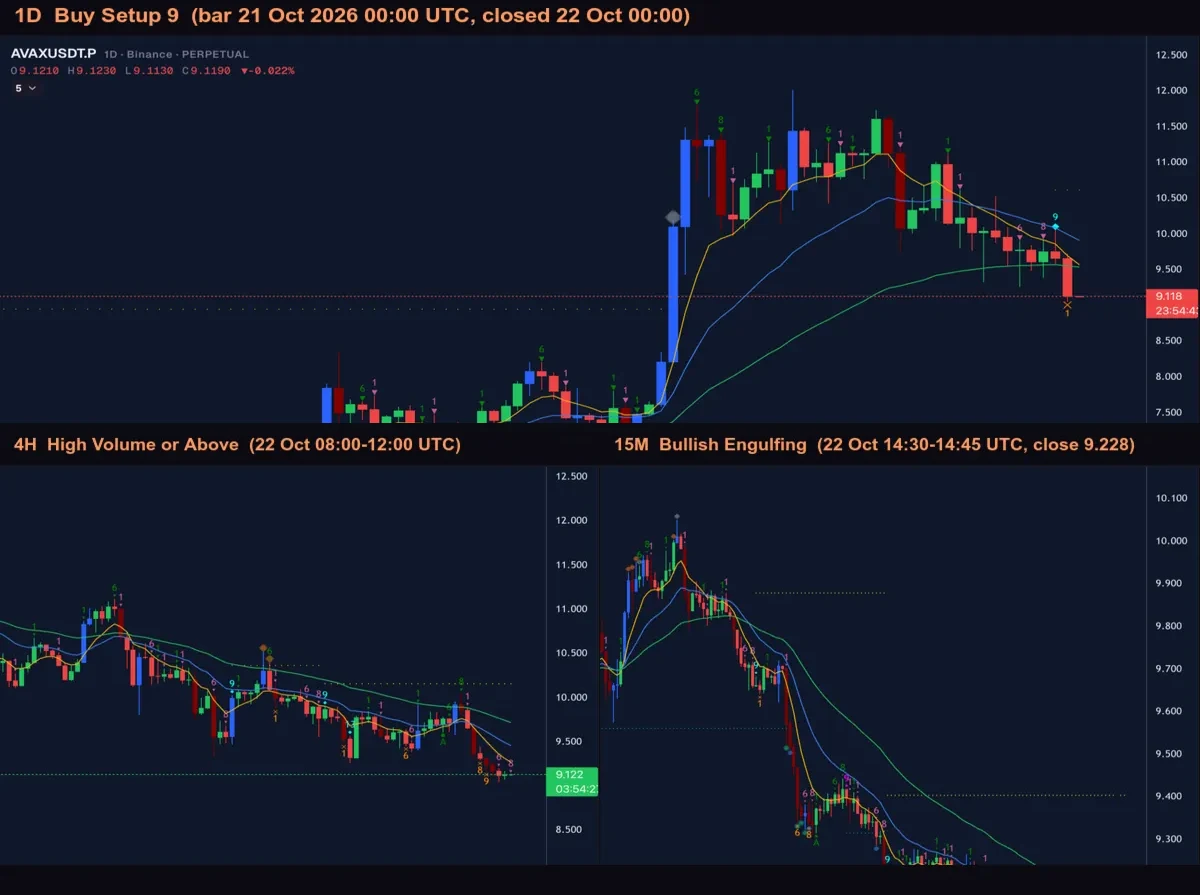
Scan Events is where the pieces meet. You add one card per timeframe, and each card holds the events or candle shapes that must appear within its lookback, the last N candles of that timeframe. Cards are joined with AND or OR. A Market condition can gate the whole scan on another symbol, for example only scan when BTCUSDT on the 1D shows a High Volume or above bar. Scan Events does not enforce order between cards. When the order on one symbol matters, Chains takes two to four steps of events on that symbol, each within a set time after the one before.
The example we use everywhere is this one:
| Timeframe | Method | Condition |
|---|---|---|
| 1D | Sequencer 9-13 | Buy Setup 9 |
| 4H | Volume VSA | High Volume or above |
| 15M | Candle editor preset | Bullish Engulfing |
A market matches when all three are present inside their lookbacks. Save the filter as a preset, switch on the alert, and Moolish sends one Telegram message when the preset finds new matches after a bar closes. The guide on volume and candle confirmation walks through the setup card by card, with a real example.
Each condition only has to appear inside its own lookback, so the filter does not require the bars to close in any order.
What we deliberately do not claim
- No profit or win-rate claims. We do not say a setup, a countdown or a combination of them makes money, and we do not publish hit rates.
- No prediction. A Buy Setup 9 records that nine closes met a rule. It does not say what price will do next.
- Detection on the closed bar. Signals are detected on bar close, and the alert follows the close. A signal that looks complete halfway through a bar is not recorded until the bar closes, so an alert does not vanish afterwards.
- Examples show detection, not outcomes. When we show a market that matched a filter, we show what the filter detected. We do not show what price did afterwards, because one market proves nothing.
Trading crypto carries a high risk of loss, and nothing on Moolish is financial advice.
Try it
Start with the 7-day free trial, with no credit card. Sequencer 9-13 and Volume VSA are both listed on Methods, and the method page for Sequencer 9-13 lists every signal and timeframe. If you want the long version first, read the TD Sequential crypto scanner guide, then the guide to volume and candle confirmation.
FAQ
Is Sequencer 9-13 the same as TD Sequential?
It implements the same published counting rules, setups to 9 and countdowns to 13, but it is Moolish's own implementation under Moolish's own name. TD Sequential is Tom DeMark's method, and we are not affiliated with him or with DeMARK Analytics.
Does Moolish use DeMARK's code?
No. Sequencer 9-13 is an independent implementation written by Moolish from the published counting rules and run on Moolish's own data. It is not a DeMARK product. Moolish is not affiliated with, endorsed by or sponsored by Tom DeMark or DeMARK Analytics.
Which timeframes does it scan?
Sequencer 9-13 scans ten timeframes: 15M, 4H, 1D, 2D, 3D, 1W, 2W, 3W, 1M and 3M. The chart shows more timeframes than the scanner uses, such as 1h and 2h, which exist on the chart only. Signals are detected on the closed bar of each timeframe.
Can I use the counts without volume or candles?
Yes. A single Scan Events card with one Sequencer 9-13 event works on its own. Adding a Volume VSA grade or a candle pattern is optional, and you choose how many conditions to combine, from one up to as many cards as you need.
Ask an AI to check this page